


How to Track Any Crypto Wallet by Address

By Umair, Coinfolytics · Product details checked
Quick answer
To track any crypto wallet by address, paste its public address into a block explorer (free, one wallet, raw data), a watch-only wallet app (balances on your phone), or a portfolio tracker such as Coinfolytics (every wallet in one place, with cost basis and profit). A public address is read-only: it shows the wallet's history but can't move funds, so tracking never needs your seed phrase or a signature.
Key takeaways
- A public address works like an account number: safe to share for tracking. A seed phrase works like a password: never share it.
- Block explorers are free and accurate but show raw data with no profit figures.
- A portfolio tracker turns on-chain history into transactions and works out cost basis and profit across all your wallets.
- After any import, check three things: moves between your own wallets, leftover spam and DeFi transactions.
- Viewing a portfolio never requires signing anything. A site that asks you to approve a transaction "to sync" is a scam.
Quick inventory. Some ETH in MetaMask. A bit of BTC on the Ledger you haven't plugged in since March. SOL in Phantom from an experiment you'd rather forget. Now, what's your total profit?
If your answer involves a spreadsheet, three block explorer tabs and a vague sense of dread, read on. (Still on a spreadsheet? Here's how Coinfolytics tracks a portfolio without one.) There's a simpler way, and you already hold the key to it: your public addresses.
Is it safe to share your public wallet address?
Yes, for tracking. A public address, the 0x… or bc1… string, lets anyone see every transaction it has ever touched: amounts, timestamps, everything, forever, on a public ledger. That's how blockchains are designed.
What it doesn't do is move your money. For that you need the private key or the seed phrase, which never leaves your wallet in any legitimate tracking setup. And on its own, an address on Etherscan has no name attached to it.
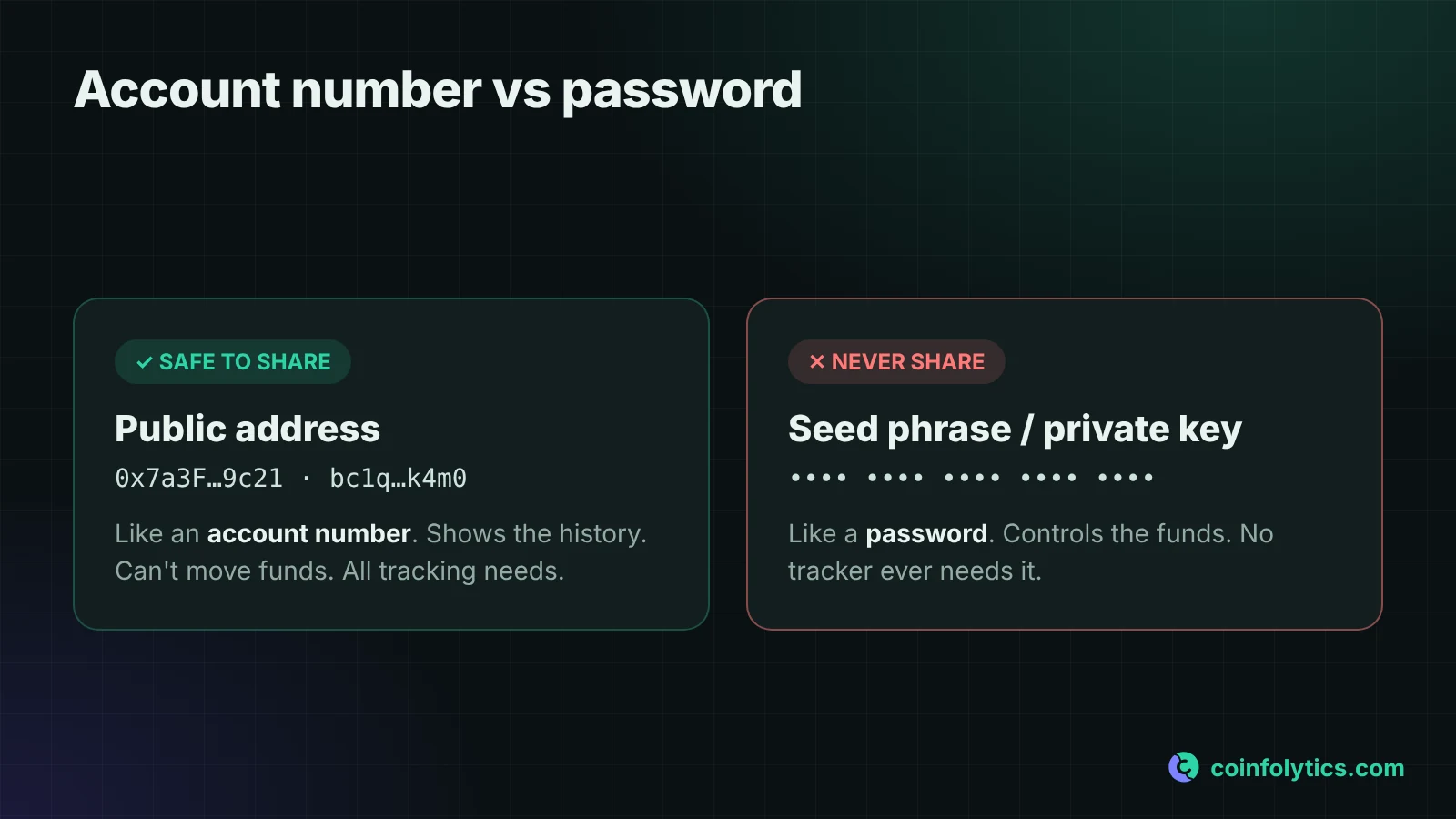
Account number: share freely. Password: share never. Tracking by address only needs the first. Any site that asks for the second to "track your portfolio" is not a portfolio tracker. It's a thief with a nice interface.
What are the ways to track a crypto wallet by address?
There are three, and they suit different jobs:
| Method | Cost | All wallets in one view | Profit and cost basis | Best for |
|---|---|---|---|---|
| Block explorer (mempool.space, Etherscan, Solscan) | Free | No, one address at a time | No | Checking a single transaction |
| Watch-only wallet app | Usually free | Sometimes, for a few addresses | No | Glancing at balances on your phone |
| Portfolio tracker (e.g. Coinfolytics) | Often paid for address import | Yes | Yes | Knowing whether you're actually up, and doing your taxes |
Block explorers
Paste an address and you see exactly what the chain recorded: mempool.space or Blockchair for Bitcoin, Etherscan for Ethereum, Solscan for Solana. They're free, need no account and show the chain itself. The downside is that the data is raw: hashes and token transfers, with no profit figure and no cost basis. Great for verifying one transaction, poor for understanding your year.
Watch-only wallets
Most wallet apps let you add an address in watch-only mode. Balances appear, and you can't sign anything, which is the point. Some apps group a few addresses together, but they show balances, not profit. The math is still on you.
Portfolio trackers
This is where Coinfolytics sits. You paste public addresses, it brings in the on-chain history as transactions, and then it does the part people are bad at: cost basis per coin, realized and unrealized profit, and tax reports. If your crypto lives in more than one place, this is the only option that answers "am I actually up?" without a spreadsheet and a free weekend. You still need to review what comes in, because blockchains record mechanics, not intent. More on that below.
How do you find your wallet address?
Copying your own address is always safe. Here's where to find it:
- MetaMask: open the account menu at the top and copy your account address (it starts with
0x). - Phantom: tap your wallet name at the top of the home screen, then the copy icon next to the Solana address.
- Ledger Live: open the account, tap Receive and copy the address shown. Ledger gives you a fresh Bitcoin address each time, which is good for privacy. Any address you've used keeps its full history, but Coinfolytics imports one Bitcoin address at a time, not the whole Ledger account, so import each address you've received coins on.
- Exchange deposit address: Deposit, pick the coin, copy. Some exchanges rotate these, so your next deposit may land on a new address. For long-term tracking, self-custody addresses are much less hassle.
How to track a wallet by address in Coinfolytics
Wallet import is on the Advanced plan ($19/month, or $15/month billed yearly). See the full feature list. On the free plan you can still import exchange CSV files and add transactions by hand.
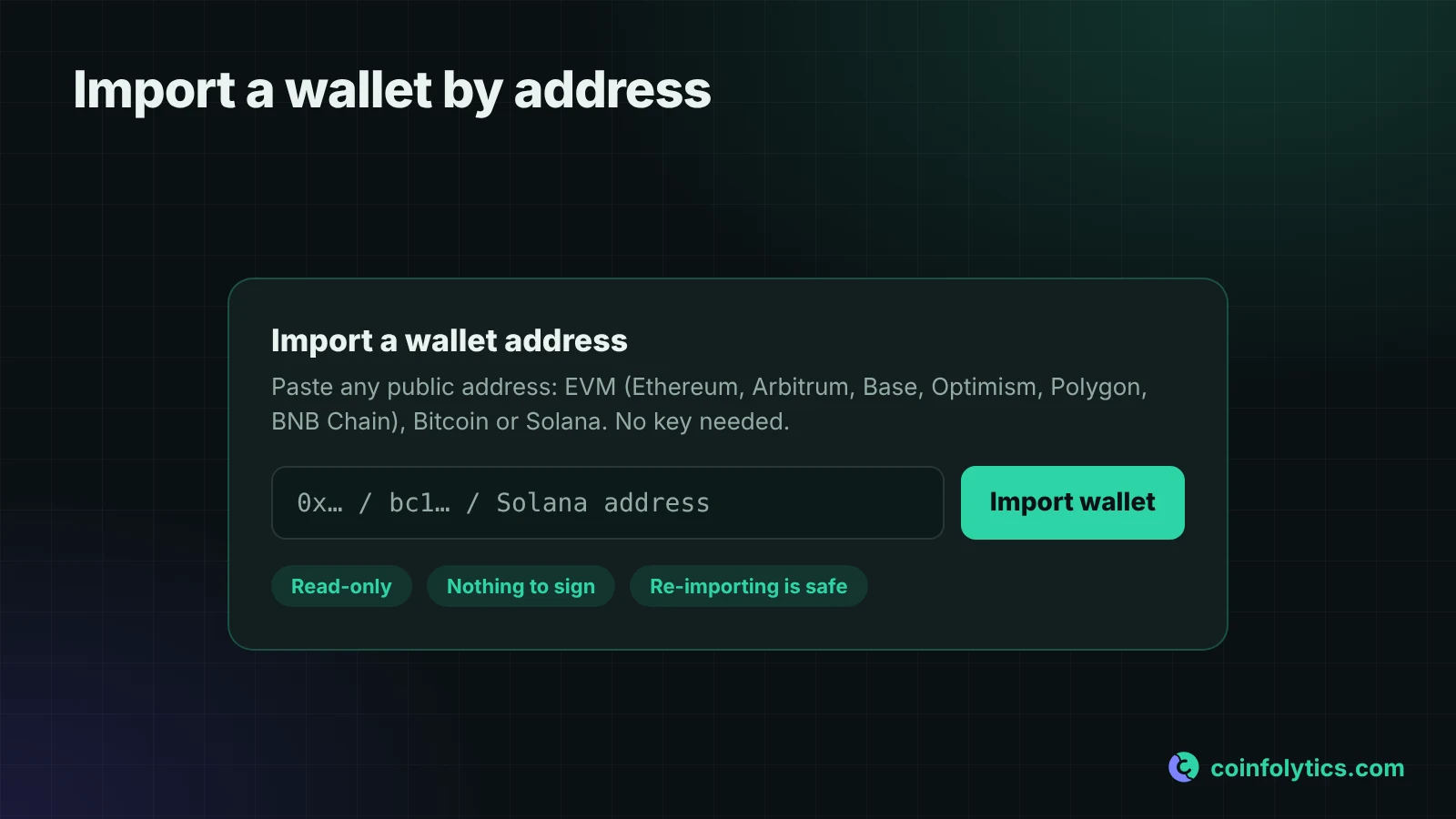
- Paste the address. In your portfolio, open the import window and paste the public address. No wallet connection, no signature request, no browser extension.
- Let it recognise the network. One box takes all three kinds of address. An
0x…address is checked across Ethereum, Arbitrum, Base, Optimism, Polygon and BNB Chain in one go. A1…,3…orbc1…address is read as Bitcoin. A Solana address brings in its DEX swap history. - Import and wait. The app fetches the address's history and turns it into transactions, each valued at the market price on its date. Long-history wallets take a little while.
- Review the result. Do the review pass in the next section before you trust the profit figures.
What wallet import covers today
What comes back depends on the chain and the data available. Here's exactly what to expect:
| Address type | What's imported | How far back | Good to know |
|---|---|---|---|
EVM (0x…) | Coin and token transfers on Ethereum, Arbitrum, Base, Optimism, Polygon and BNB Chain | About the 500 most recent transactions per chain | Spam tokens and tokens outside our coin catalogue are skipped |
Bitcoin (1…, 3…, bc1…) | The single address you paste | About the 150 most recent transactions | Not a whole Ledger or xpub account; import each used address |
| Solana | DEX swaps | About the 500 most recent swaps | Plain transfers, airdrops and exchange withdrawals aren't captured; add those by hand |
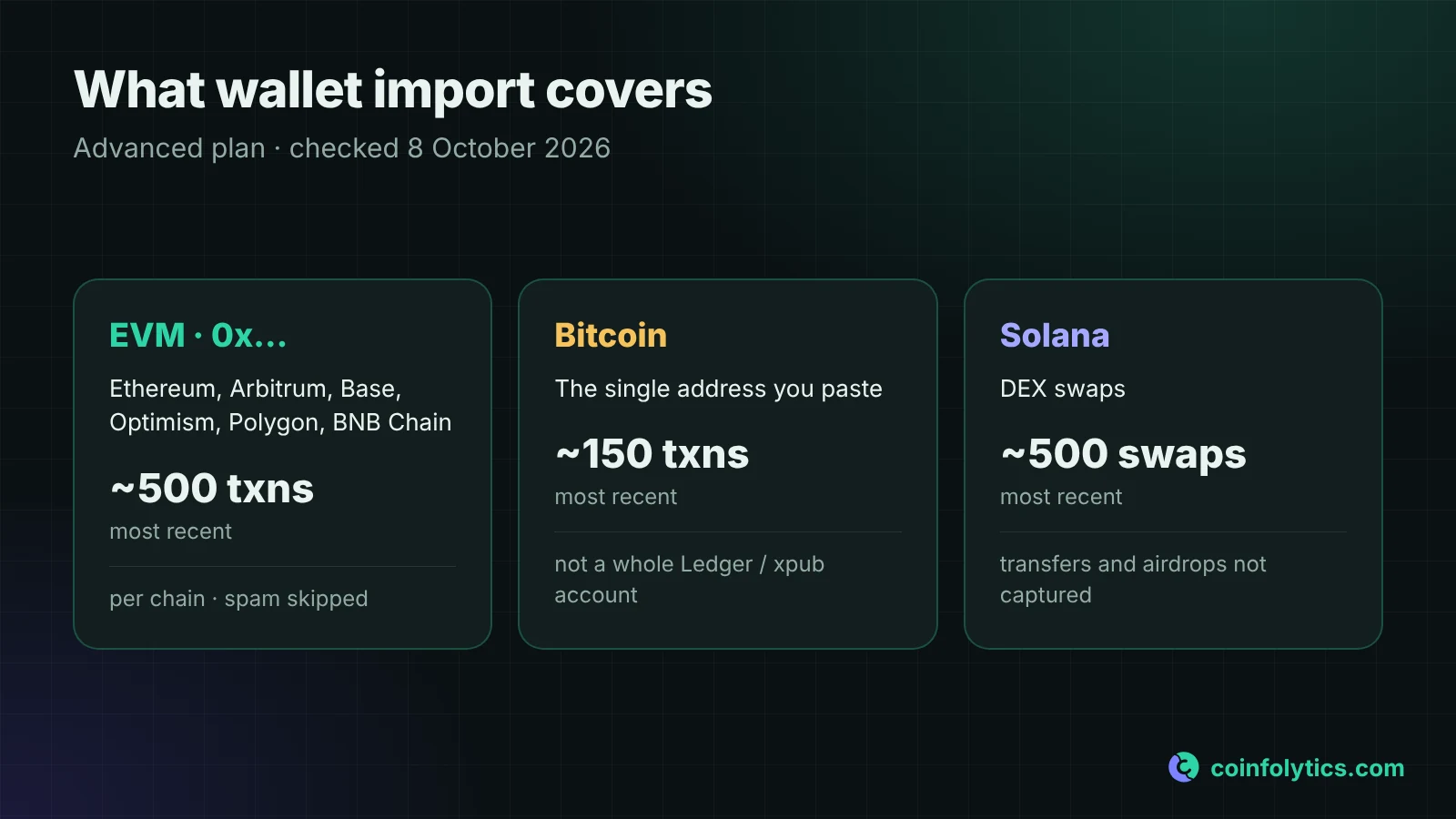
Two more things to know. Coins that arrive in a wallet are recorded as a buy at that day's market price, and gas fees aren't attached to imported transactions yet. Older history goes in by CSV or by hand. If something looks off, open the same address on a block explorer and compare.
What should you check after importing a wallet?
Import does most of the work. The rest is judgment that only you can make, because a blockchain records mechanics, not intent. Check three things, in this order:
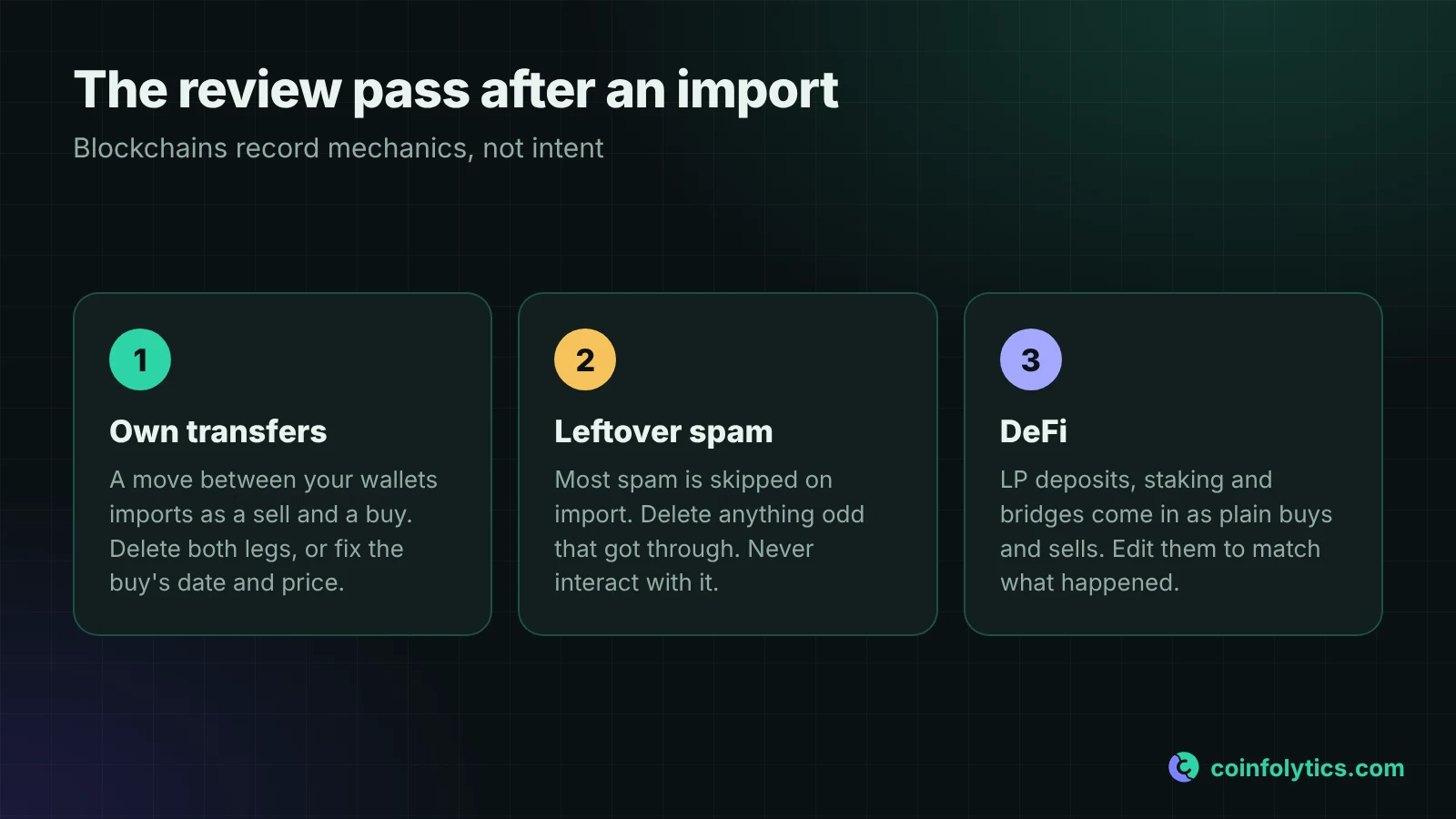
- Your own transfers are not sales. Say you moved 0.5 BTC from an exchange to your Ledger. On-chain it looks like coins leaving one place and arriving in another, but you only moved money between your own pockets: no disposal, no gain, no tax event. Coinfolytics records what the chain shows, coins leaving an address as a sell and coins arriving as a buy at that day's price. If you imported both addresses, delete both legs of the move (the sell and the matching buy); your total stays right and your original cost basis is kept. If the coins came from an exchange you didn't import, edit that buy to the date and price you actually paid, or bring in the exchange's CSV.
- Delete leftover spam. EVM wallets collect junk: scam tokens airdropped to thousands of addresses and dust worth fractions of a cent. Coinfolytics skips tokens flagged as spam and anything outside its coin catalogue, so most of it never arrives. If something odd still gets through, delete it. Never interact with a token that appeared from nowhere; that's how the scam starts.
- Check your DeFi. Plain DEX swaps usually come through cleanly. LP deposits, staking positions and bridges come in as plain buys and sells, because that's all the chain shows. Walk those transactions one by one and edit or delete them to match what actually happened.
This step is what separates a portfolio tracker from a portfolio tracker you'd trust with your tax return.
How do you keep your wallet safe while tracking it?
Three rules:
- Never share your seed phrase. Not with support, not with a "verification bot" in your DMs, not with a site promising faster sync. Legitimate tools never ask, Coinfolytics included. Wallet import reads public history from an address you paste, and that's all it needs.
- Viewing never requires signing. Showing data doesn't move money, so there's nothing to sign. If a site wants you to connect your wallet and approve a transaction just to display a portfolio, stop. That's how wallet drainers work.
- Don't copy addresses from your transaction history. In address poisoning, attackers send you dust from an address that looks like one you use, with the same first and last few characters, betting you'll copy the wrong one from your history next time and send real money to them.
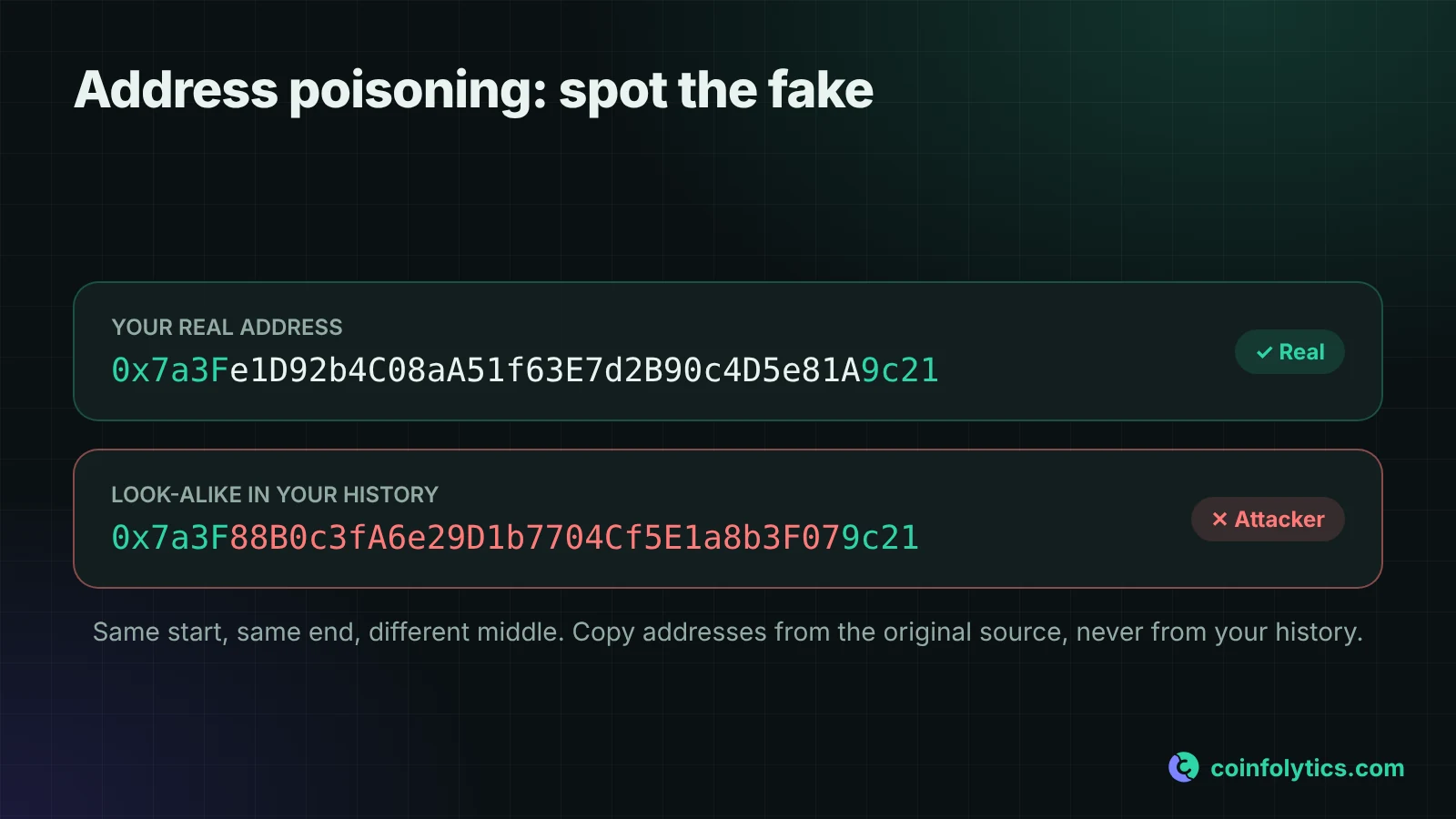
Always copy a recipient's address from the original source: their message, the exchange deposit page or your saved address book.
Can someone link your wallet address to you?
Only through the edges where your identity touches it. Everything on a public chain is visible to anyone who has the address. So the privacy question was never "can someone see this address?" It's "can someone connect this address to me?"
That happens at the edges: the address you posted on social media, the one you used to buy something shipped to your house, the one your KYC exchange sent a withdrawal to. Each is a thread between your identity and an address. If privacy matters to you, keep separate addresses for separate contexts. You can't un-publish a blockchain.
FAQ
Can someone steal my crypto with only my public address?
No. Stealing requires your private key, your seed phrase, or tricking you into signing something malicious. The address alone is a window, not a door.
Do I need one import per chain?
One per address. An 0x… address is checked across all six EVM chains in one go; your Bitcoin and Solana addresses are separate imports.
My wallet has hundreds of transactions. Will import handle it?
Yes, that's what import is for; manual entry breaks down long before a few hundred transactions. There is a ceiling: about the 500 most recent transactions per EVM chain, 150 for a Bitcoin address and 500 Solana swaps. Older history goes in by CSV or by hand. Then do the review pass: own transfers first, spam second, DeFi third.
Does Coinfolytics cover every chain?
No, and be wary of anyone who claims universal coverage. Today it covers Bitcoin, six EVM chains (Ethereum, Arbitrum, Base, Optimism, Polygon and BNB Chain) and Solana swaps, all on the Advanced plan. The live list, with how far back each import goes, is on coinfolytics.com/limits.
How is address import different from connecting my wallet to a dApp?
Address import is read-only: paste, read, done, with nothing to approve. Connecting to a dApp lets the site propose transactions that your wallet then signs. Tracking should never need that. If it asks, something's wrong.
This article is for information only and isn't financial or tax advice.
Share the article:


