


Track Your Crypto Portfolio Without a Spreadsheet

By the Coinfolytics team · Product details checked
Quick answer
To track a crypto portfolio without a spreadsheet, use a tracker that works from your transactions rather than typed-in balances. Record every buy, sell, swap and income event with its date, price and fee (or import them), choose a cost basis method, and let the tracker calculate live value, realized and unrealized profit, and your yearly gains. Spreadsheets break on swaps, partial sells, fees and transfers; a transaction-based tracker handles all four.
Key takeaways
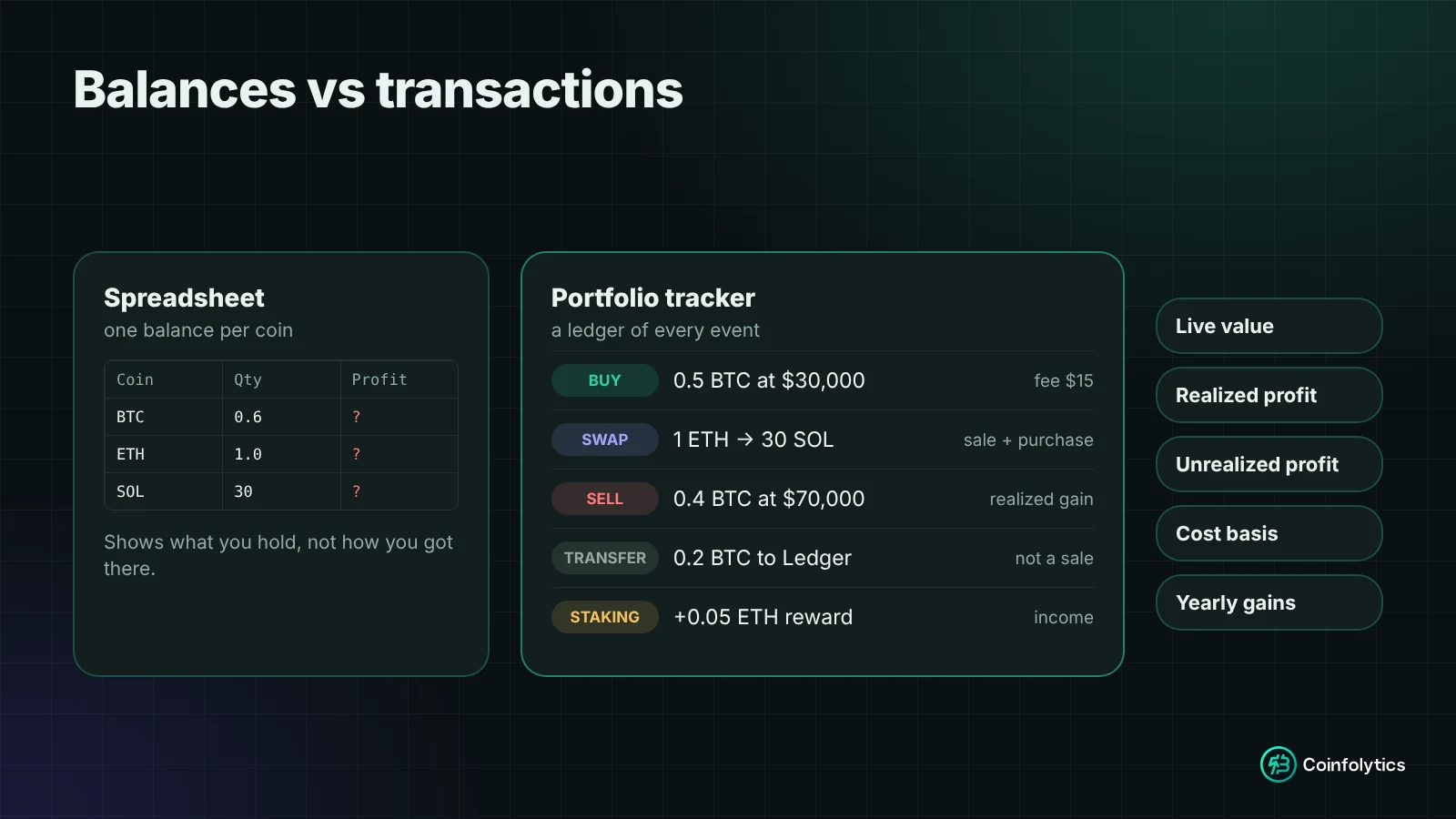
- Spreadsheets store balances, but crypto profit depends on transactions. That mismatch causes most errors.
- A swap is two transactions (a sale and a purchase), and a partial sell needs a cost basis method.
- Look for a ledger, a cost basis choice, separate realized and unrealized profit, live prices, read-only imports and reports.
- Never give a tracker your seed phrase or private keys. Read-only access is all it needs.
- You can start free and add older history later; current value is right from day one.
Almost everyone starts tracking crypto in a spreadsheet: one row per coin, a column for the amount, a column for the price, a formula for profit. It works for three coins and a couple of purchases.
Then you swap some ETH for SOL, sell half your BTC, move coins between wallets, pay a few fees and receive a staking reward. Six months later the spreadsheet says you're up, your exchange says something else, and you're no longer sure which number is real. This guide explains why that happens, what a proper tracker needs to do, and how to set one up step by step.
Why do crypto spreadsheets stop working?
A spreadsheet stores balances, but crypto profit depends on transactions. That mismatch causes most of the problems:
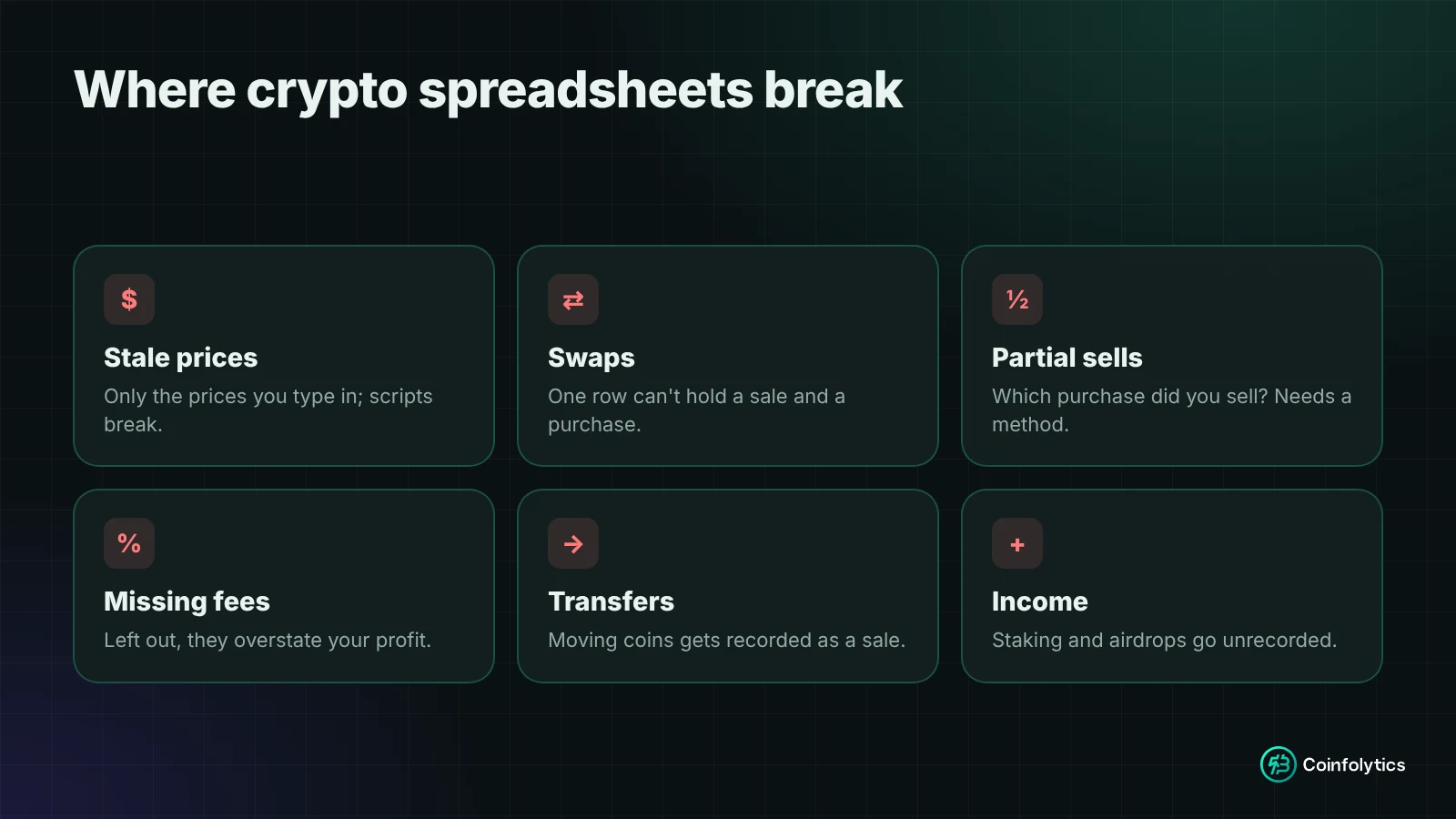
- Prices go stale. A sheet only knows the prices you type in. Live prices for thousands of coins usually mean add-ons or scripts that break when an API changes, and smaller coins often aren't covered.
- Swaps are really two transactions. Swapping 1 ETH for SOL is a sale of ETH and a purchase of SOL at the same moment. One row can't record both, so the ETH profit disappears and the SOL cost is guessed.
- Partial sells need a cost basis method. If you bought BTC three times at three prices and sell part of it, which purchase did you sell? The answer changes your profit. See crypto cost basis: FIFO, LIFO, HIFO and average cost.
- Fees get forgotten. Trading and network fees change your real cost and proceeds. Leave them out and profit is overstated.
- Moving coins isn't selling. Sending BTC from an exchange to your own wallet changes where it is, not what you own, but in a sheet it's easy to double count or record it as a sale.
- Income is easy to miss. Staking rewards and airdrops are new coins with a value on the day you received them. Skip them and both holdings and profit are wrong.
- Year-end is painful. A balance sheet can't tell you which sales happened in which year, at what cost, or how long each coin was held.
What should a crypto portfolio tracker do?
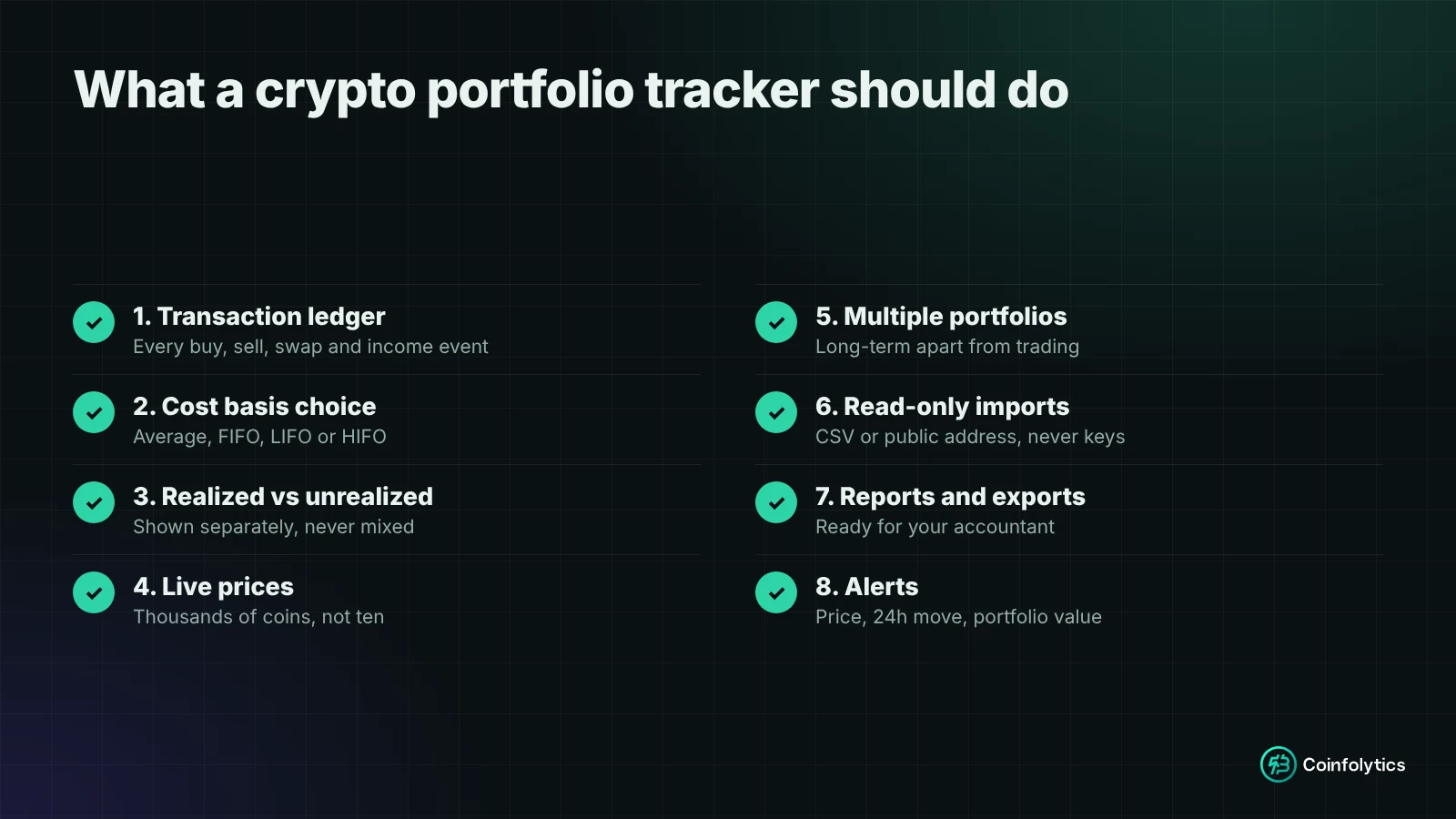
Whichever tool you use, look for these eight things:
- A transaction ledger, not just balances. Every buy, sell, swap and income event, with date, price and fee. Holdings and profit are calculated from that history.
- A choice of cost basis method. Average cost, FIFO, LIFO or HIFO, applied consistently.
- Realized and unrealized profit shown separately. Realized is what you locked in by selling; unrealized is what your holdings are up or down on paper.
- Live prices across thousands of coins, not just the top ten.
- More than one portfolio, to keep long-term holdings apart from active trading.
- Safe imports. Read-only import from CSV files or public wallet addresses. Never private keys or a seed phrase.
- Reports and exports you can hand to an accountant.
- Alerts, so you don't have to watch prices all day.
How to track your crypto portfolio in Coinfolytics, step by step
You can start for free, and the same steps apply whichever tracker you choose.
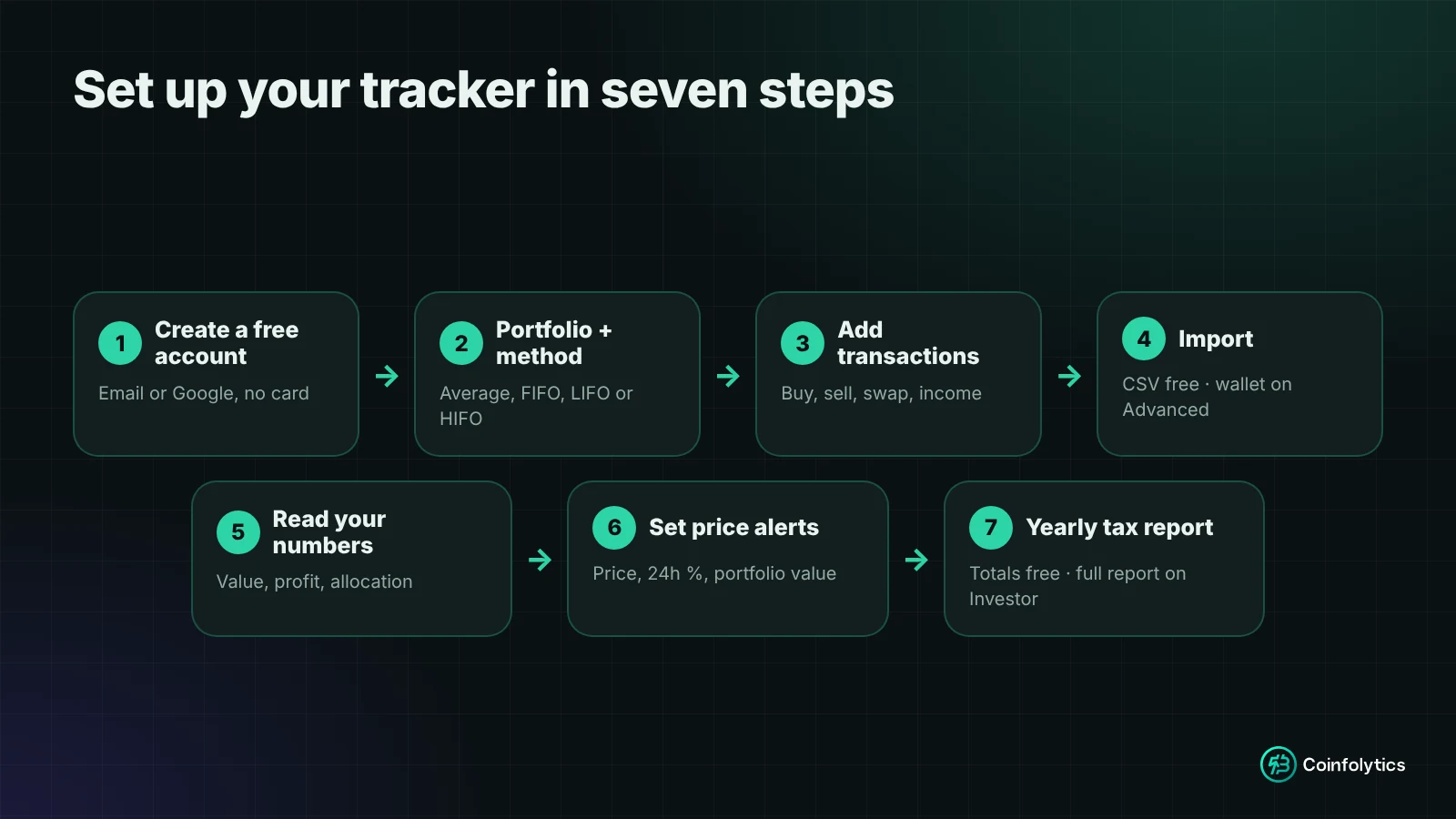
Step 1: Create a free account
Sign up with your email or Google account. No card is needed. The free Market plan includes one portfolio, three price alerts and no limit on transactions.
Step 2: Create a portfolio and choose your cost basis method
Name your portfolio, for example "Long-term" or "Trading", and pick a method: average cost, FIFO, LIFO or HIFO. It decides which purchases count as sold when you sell part of a holding, and your profit figures and tax report follow it. If you're unsure, check which method applies where you pay tax first; our cost basis guide covers the US, UK and Canada.
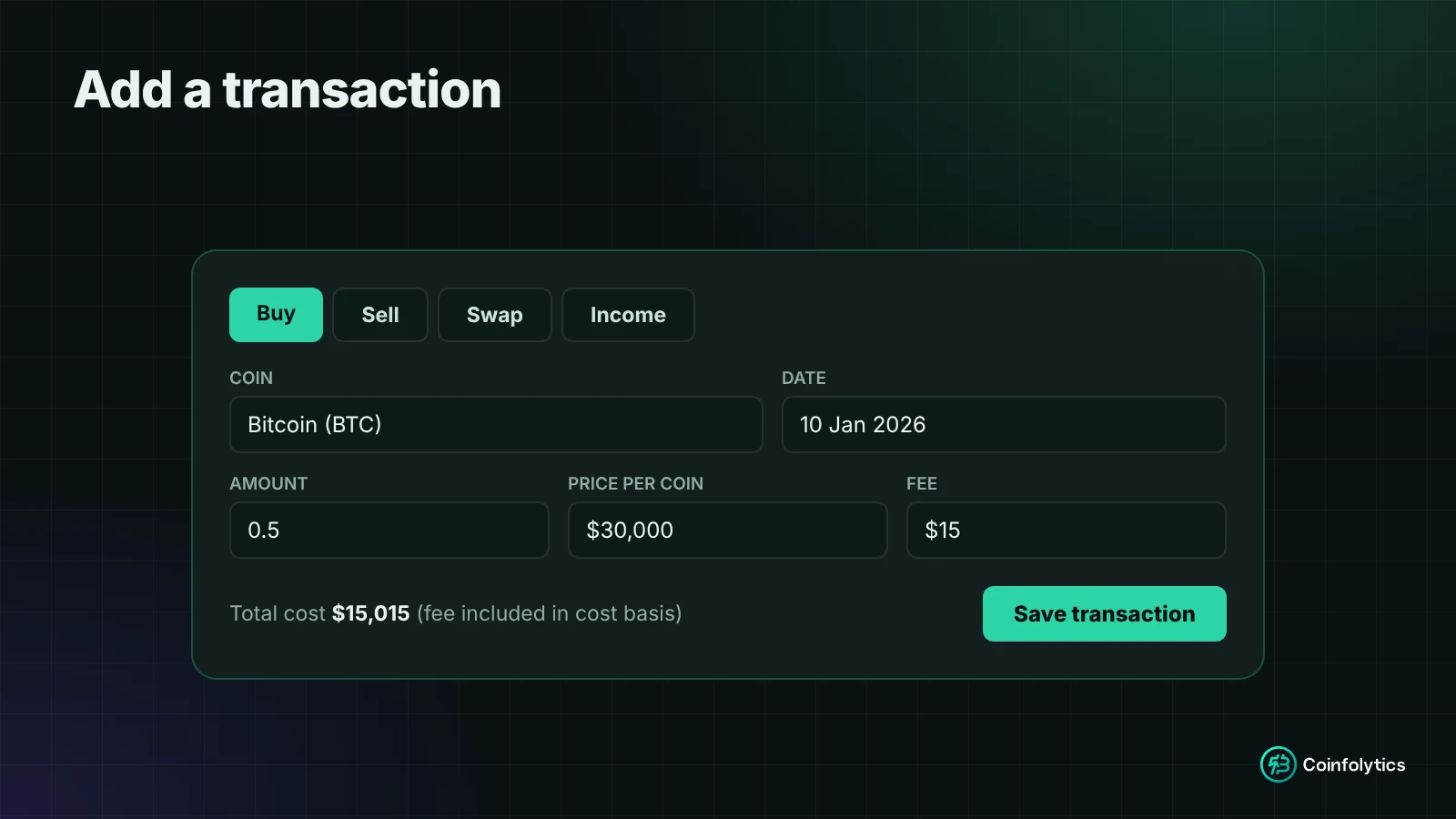
Step 3: Add your transactions
Record each transaction with its date, amount, price and fee:
- Buy: you bought coins with cash or a stablecoin.
- Sell: you sold coins.
- Swap: you exchanged one coin for another. It's recorded as a sale of one and a purchase of the other (why swaps are taxable).
- Income: staking rewards, airdrops and similar.
Don't have your full history? Enter what you hold today with your best estimate of when and at what price you bought it. Current value and unrealized profit will be right, and you can fill in older trades later to make realized profit accurate.
Step 4: Import instead of typing
- CSV import (free): upload a transaction export from your exchange.
- Wallet import (Advanced plan): paste a public Bitcoin, EVM or Solana address and its on-chain history comes in. It's read-only: Coinfolytics reads public blockchain data and can't move anything. See how to track any crypto wallet by address.
Step 5: Read your numbers
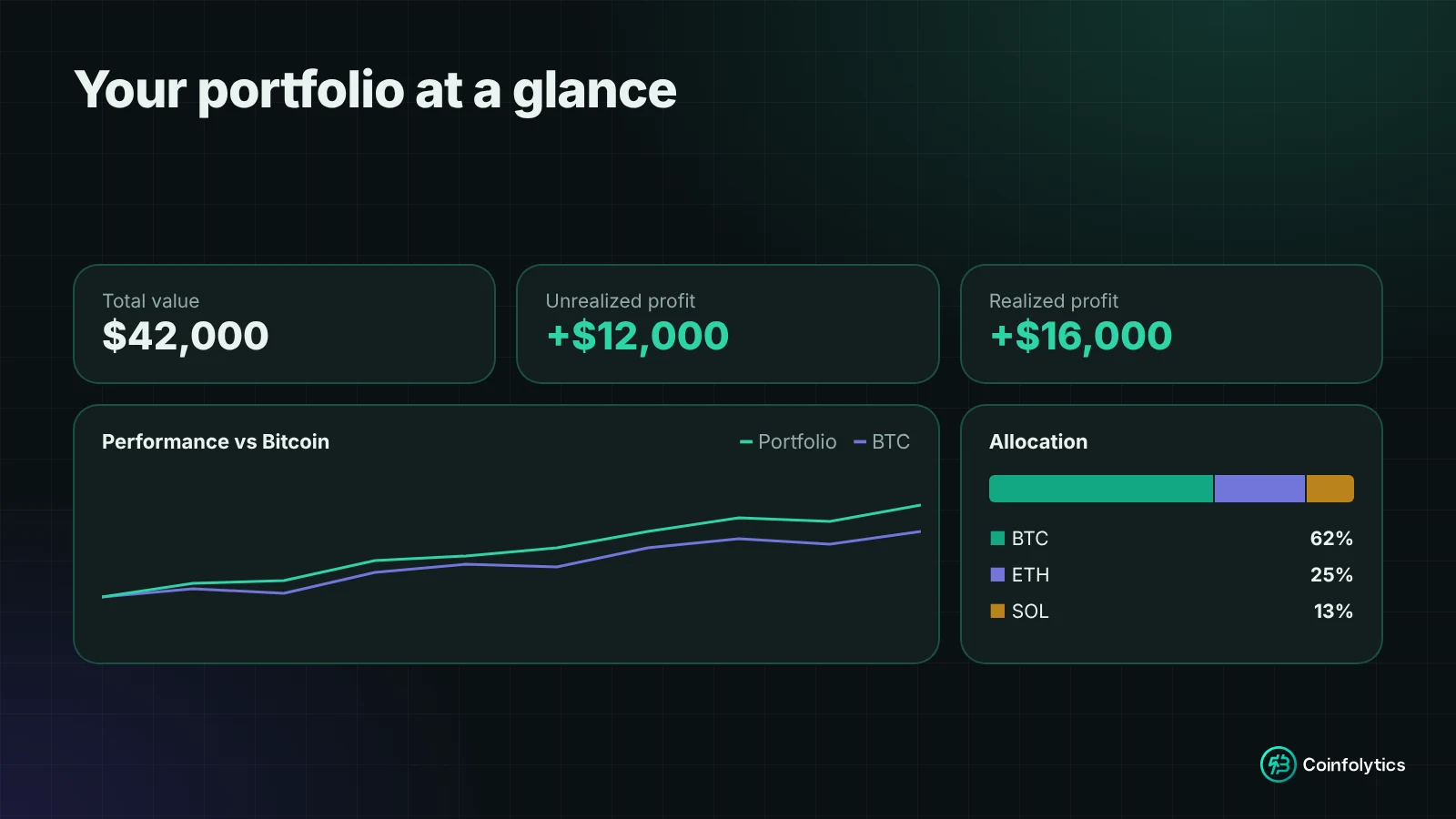
Once your transactions are in, your portfolio shows:
- Total value, updated live as prices move.
- Unrealized profit or loss on what you still hold.
- Realized profit or loss from what you've sold.
- Allocation: how much each coin makes up, a quick check on whether one coin dominates.
- Performance against Bitcoin: whether your picks beat simply holding BTC over the same period.
Step 6: Set price alerts
Instead of refreshing charts, set alerts for a target price, a percentage move in 24 hours, or a total portfolio value. The free plan includes three alerts, checked every few minutes; paid plans add more alerts, checked in real time.
Step 7: Get your yearly tax report
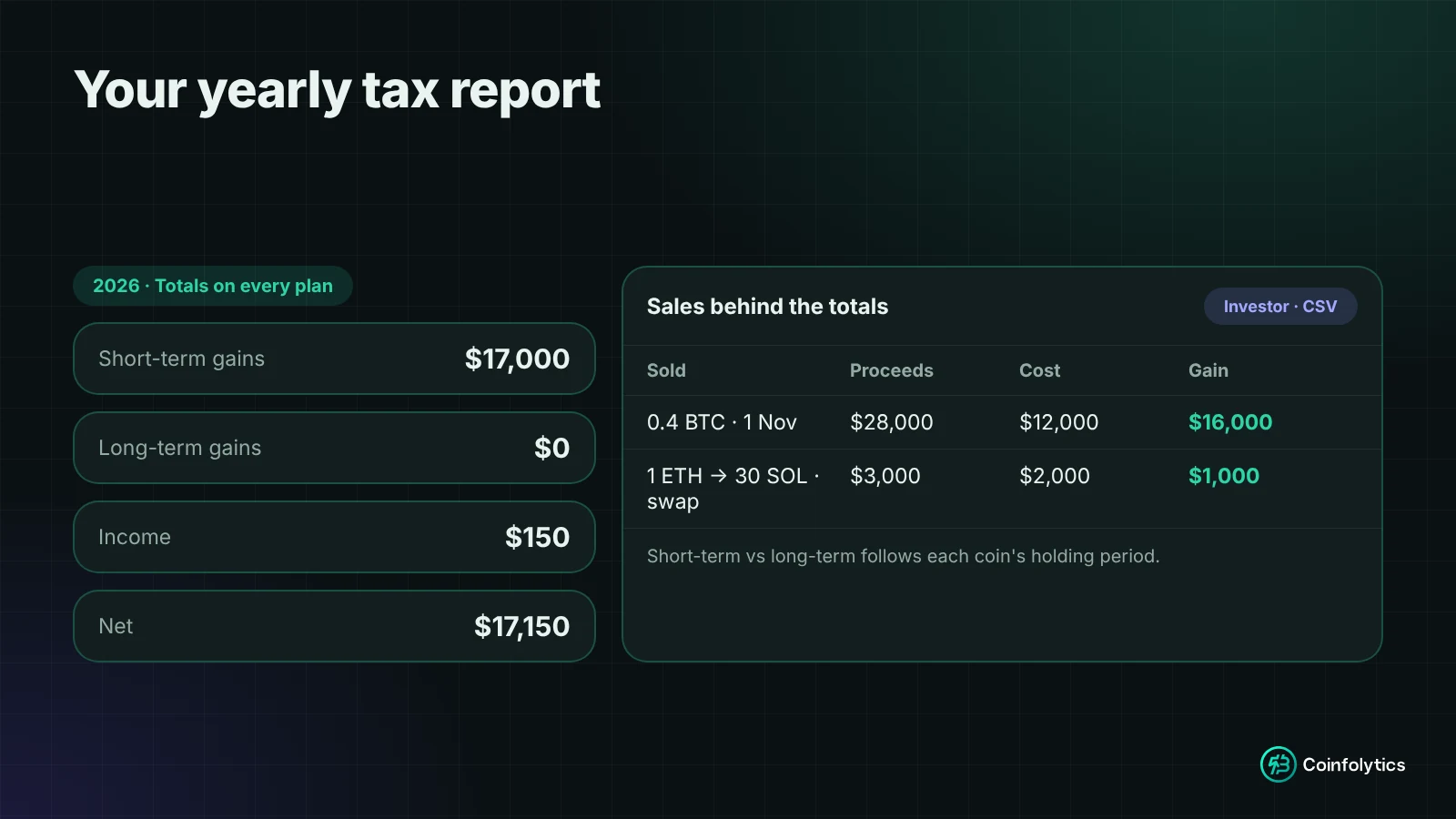
Your yearly tax totals (short-term and long-term gains, income and net) are free. On the Investor plan, the full report lists every sale behind those totals, with a CSV you can hand to an accountant.
Is a crypto portfolio tracker safe?
Yes, when it only needs read-only information.
- Never share your seed phrase or private keys with any tracker, website or "support" person. No legitimate portfolio tool needs them.
- Prefer read-only connections. A public wallet address lets a tracker see history without being able to move funds.
- Be careful with exchange API keys. If a tool asks for one, make sure it's read-only with withdrawals disabled.
Coinfolytics never asks for private keys, seed phrases or exchange passwords. It has no custody of funds, no trading and no withdrawals.
What are the most common tracking mistakes?
- Recording a transfer as a sale. Moving coins between your own wallets shouldn't create a profit or loss.
- Leaving out fees. They raise your cost and lower your proceeds.
- Ignoring small income. Staking rewards add up, and each has a value on the day you received it.
- Changing cost basis method mid-year. Pick one and stay consistent.
- Mixing strategies in one portfolio. Separate long-term holdings from active trading.
Spreadsheet vs portfolio tracker
| Spreadsheet | Portfolio tracker | |
|---|---|---|
| Live prices | Manual or fragile scripts | Automatic, thousands of coins |
| Swaps | One row, often wrong | Recorded as a sale and a purchase |
| Partial sells | Usually ignored | Calculated by your chosen method |
| Realized vs unrealized profit | Hard to separate | Shown separately |
| Year-end gains | Manual work | Yearly report |
| Alerts | None | Price, 24h % move, portfolio value |
FAQ
Can I track my crypto portfolio for free?
Yes. The free Market plan includes one portfolio with unlimited transactions, CSV import, live prices, three alerts and your yearly tax totals. More portfolios, the full tax report and wallet import are on paid plans; see pricing.
Do I need my full transaction history to start?
No. Start with what you hold today and add older transactions when you can, so realized profit becomes accurate.
Which cost basis method should I use?
It depends on where you pay tax; some countries require a specific method. See our cost basis guide and check with a tax professional.
Does a portfolio tracker replace an accountant?
No. A tracker gives you organised, accurate records and a clear gains report. An accountant applies your country's tax rules to them.
Start tracking
A spreadsheet is fine for your first few coins. Once you swap, sell part of a holding or hold across several wallets, a transaction-based tracker is the only way to keep a profit figure you can rely on. Create a free Coinfolytics portfolio and add your first transaction in a couple of minutes.
This article is for information only and isn't financial or tax advice.
Share the article:


