

Track any crypto wallet by its address
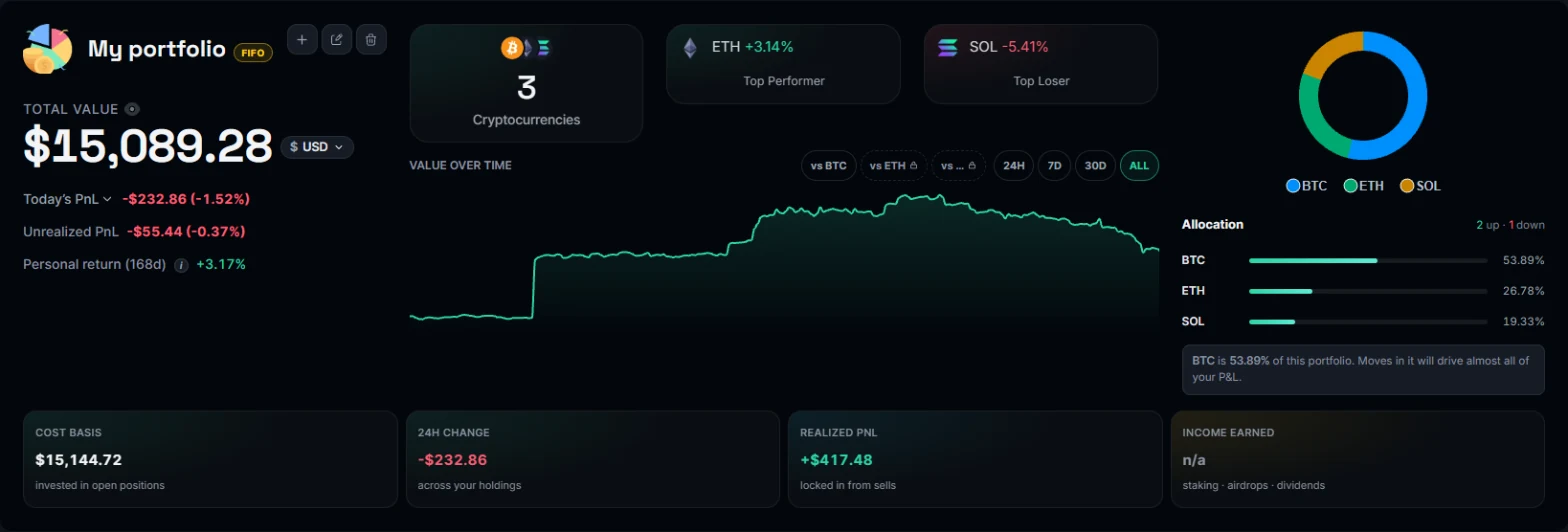
Paste a public address and Coinfolytics brings in its whole history: every transfer, swap and network fee. Then it works out what the wallet holds, what it cost and what it has made.
Updated
How it works
Sign up with Google or an email address, and confirm the email. Imports need a confirmed address.
Make a portfolio, choose Import a wallet and paste your wallet address. Nothing else is asked for.
A small wallet is done in seconds. A large one keeps importing in the background, and the portfolio page shows how far it has got.
What an import brings in
Each transaction is recorded as what it was, so the profit figures count it right.
Coins arriving and leaving are transfers, never buys or sales, so moving coins between your own wallets is no gain or loss.
A swap on a DEX sells one coin and buys another, each at its price at that moment, so its profit shows.
The gas each transaction paid is recorded as a network fee, so your costs include it.
A staked or lending token whose balance grows with no transfer is recorded as rewards on the day it grew.
A token you swapped for that no market prices yet is kept at what you paid and valued at zero until it has a price, so its loss is never lost.
The tiny deposits sent to make a look-alike address show in your history are left out, and the import says how many.
Find your wallet's address
Every wallet app shows it under Receive. The way it starts tells you the chain.
- 0x followed by 40 characters. An Ethereum-style address, used on Ethereum and every EVM chain: MetaMask, Rabby, Coinbase Wallet, Trust Wallet and Ledger Live show the same one for all 16 chains.
- 32 to 44 letters and numbers. A Solana address, as Phantom, Solflare and Backpack show it. It has no 0x and is case-sensitive.
- bc1, 1 or 3 at the start. A Bitcoin address. Many Bitcoin wallets show a new one each time you receive, so add each address you want to track.
- T and 33 more letters and numbers. A TRON address, as TronLink and Trust Wallet show it. It is case-sensitive.
Wallet or exchange?
Use the import that matches where your coins are.
- Coins in a wallet you control. Import the wallet's address. Its history comes straight from the chain.
- Coins on an exchange. An exchange keeps your coins in its own wallets, so its trades are not on your address. Import its trade history file instead: Binance files directly, any other exchange through our CSV template.
Not covered yet
So you know before you start.
- Other chains. Avalanche, Cardano, XRP and chains not listed above are not imported yet. Their coins can go in by hand or by CSV.
- NFTs. NFTs are not tracked as holdings. A swap paid for with one still records the coin side.
- Multisig Bitcoin wallets. A multisig wallet's key (Ypub, Zpub) is not read as one wallet yet. Its addresses can be added one by one.
Chains you can import
Read only, always
A public address is like an account number anyone can look up. Importing it shows Coinfolytics what the chain already shows everyone; it gives no way to move a coin.
An exchange's deposit address is imported with a note: if you also track that exchange account, its coins would count twice. Well-known public addresses, such as an exchange's own wallets, can't be imported.